Manage all your remote connections at once with mRemoteNG
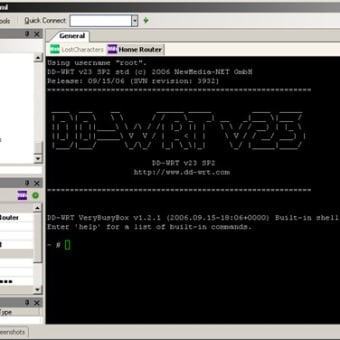
mRemoteNG is a free remote connections manager that lets you keep track of multiple connections from your computer to other devices simultaneously. Each connection appears as a separate tab in the app's window, allowing you to save usernames and passwords for multiple accounts over a variety of different types of connections.
Top Recommended Alternative

A versatile tool for connection management
mRemoteNG is designed for users, particularly IT professionals, who manage large numbers of connections. It can import saved connections from other applications, speeding up setup and avoiding redundancy. Configuring new connections is quick and easy. Input a set of preferences about the connection -- login information, connection type, port modifier and so on -- and the software will save them for future reference. Each connection becomes a tab in the program's window, letting you flick between them to monitor and modify them. Each window thus allows you access to a different computer or device that you are connecting to remotely. If you're used to dealing with the earlier version, mRemote, you will find a lot that's familiar about this tool, although mRemoteNG is a little less polished than its predecessor.
Connection management for advanced users
If you're just managing a few connections for your home or office, mRemoteNG is probably an overpowered tool. If you've got a lot of remote connections to run, either as an IT professional or just as a computer enthusiast, however, it's very handy.









.png)